Plotting Module
This page has been pre-filled with the functions that are available in the Plotting module by AI, please check the code for more details.
This module provides functions for visualizing grid components and results.
functions are found in pyflow_acdc.Graph_and_plot
Time Series
Time series results
This function is used to plot the time series results of the grid.
- plot_TS_res(grid, start, end, plotting_choices=None, show=True, path=None, save_format=None, skip_failed=False)[source]
Creates plots for time series results. The possible plotting choices are:
‘Power Generation by price zone’
‘Power Generation by generator’
‘Curtailment’
‘Market Prices’
‘AC line loading’
‘DC line loading’
‘AC/DC Converters’
‘Power Generation by generator area chart’
‘Power Generation by price zone area chart’
Parameter
Type
Description
Default
gridGrid
Grid with results
Required
startint
Start timeframe
Required
endint
End timeframe
Required
plotting_choiceslist
Results types to plot
All
showbool
Whether to show the plot in browser
True
pathstr
Path to save the plot
Current working directory
save_formatstr
Format to save the plot, if None, the plot are not saved
None
Example
import pyflow_acdc as pyf
import pandas as pd
from pyflow_tests.test_constants import NS_MTDC_MARKET_PRICES_URL, NS_MTDC_WIND_LOAD_URL
[grid,results] = pyf.cases['NS_MTDC']()
start = 5750
end = 6000
obj = {'Energy_cost': 1}
TS_MK = pd.read_csv(NS_MTDC_MARKET_PRICES_URL)
pyf.add_TimeSeries(grid,TS_MK)
TS_wl = pd.read_csv(NS_MTDC_WIND_LOAD_URL)
pyf.add_TimeSeries(grid,TS_wl)
build_only = not pyf.is_pyomo_solver_available("ipopt")
times=pyf.ts_acdc_opf(grid,start,end,ObjRule=obj,build_only=build_only)
#show is set to False for testing suit, change it to True to see the plot
pyf.plot_TS_res(grid, start, end, save_format='svg', show=False)
Plot shown in browser

Plot saved in current working directory

Time series probability
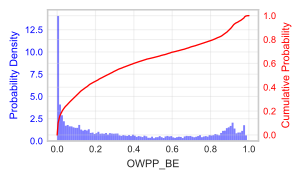
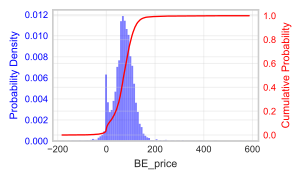
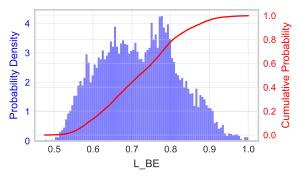
This function is used to plot the probability of the time series parameters or results of the grid. Results currently available are:
‘Power Generation by generator’
‘Prices by price zone’
‘AC line loading’
‘DC line loading’
‘AC/DC Converters loading’
- time_series_prob(grid, element_name, save_format=None, path=None, show=True)[source]
Plot the PDF/CDF of a time-series input or OPF result column.
- Parameters:
grid (Grid) – Grid with
Time_seriesand/ortime_series_resultspopulated.element_name (str) –
Time_seriesname or column in merged OPF result tables.save_format (str, optional) – File format extension (e.g.
'svg'). If omitted, nothing is saved.path (str, optional) – Directory for saved figures; defaults to the current working directory.
show (bool, optional) – Open an interactive matplotlib window after plotting.
Examples
>>> import pyflow_acdc as pyf
>>> pyf.time_series_prob(grid, 'OWPP_BE', save_format='svg', show=False)
Parameter
Type
Description
Default
gridGrid Class
Grid to analyze
Required
element_namestr
Name of element to analyze
Required
save_formatstr
Format to save the plot, if None, the plot are not saved
None
pathstr
Path to save the plot
Current working directory
Example
import pyflow_acdc as pyf
import pandas as pd
from pyflow_tests.test_constants import NS_MTDC_MARKET_PRICES_URL, NS_MTDC_WIND_LOAD_URL
[grid,results] = pyf.cases['NS_MTDC']()
start = 5750
end = 6000
obj = {'Energy_cost': 1}
TS_MK = pd.read_csv(NS_MTDC_MARKET_PRICES_URL)
pyf.add_TimeSeries(grid,TS_MK)
TS_wl = pd.read_csv(NS_MTDC_WIND_LOAD_URL)
pyf.add_TimeSeries(grid,TS_wl)
#show is set to False for testing suit, change it to True to see the plot
pyf.time_series_prob(grid, 'OWPP_BE', show=False)
pyf.time_series_prob(grid, 'BE_price', show=False)
pyf.time_series_prob(grid, 'L_BE', show=False)
Network Graph Visualization
Full grid visualization as a network graph
- plot_graph(Grid, text='inPu', base_node_size=10, G=None, show=True)[source]
Creates an interactive network graph visualization using Plotly.
Parameter
Type
Description
Default
GridGrid
Grid to visualize
Required
textstr
Hover text format (‘data’ or ‘inPu’ or ‘abs’)
‘inPu’
base_node_sizeint
Base size for nodes
10
GGraph
Graph to visualize
Full grid
Example
import pyflow_acdc as pyf
grid,res = pyf.cases['case24_3zones_acdc']()
#show is set to False for testing suit, change it to True to see the plot
pyf.plot_graph(grid,show=False)

Neighbor Graph
This function is used to plot the neighbor graph of a node. You can either provide a node or a node name, one or the other must be provided.
- plot_neighbour_graph(grid, node=None, base_node_size=10, proximity=1, show=True)[source]
Plot the ego graph of a node and its neighbours.
Builds a subgraph within
proximityhops ofnodeongrid.Graph_toPlotand opens an interactive Plotly view viaplot_graph().- Parameters:
grid (Grid) – Grid whose topology is plotted.
node (Node_AC, Node_DC, or str, optional) – Centre node object, or its
namestring (searched on AC then DC nodes).base_node_size (int, optional) – Base marker size passed to
plot_graph().proximity (int, optional) – Hop radius for
networkx.ego_graph().
- Raises:
ValueError – If
nodeis omitted, not found, or absent fromgrid.Graph_toPlot.
Examples
>>> import pyflow_acdc as pyf
>>> grid, _ = pyf.cases['case24_3zones_acdc']()
>>> pyf.plot_neighbour_graph(grid, node='111')
Example
import pyflow_acdc as pyf
grid,res = pyf.cases['case24_3zones_acdc']()

pyf.plot_neighbour_graph(grid, node='111',show=False)

Saving the Network Graph
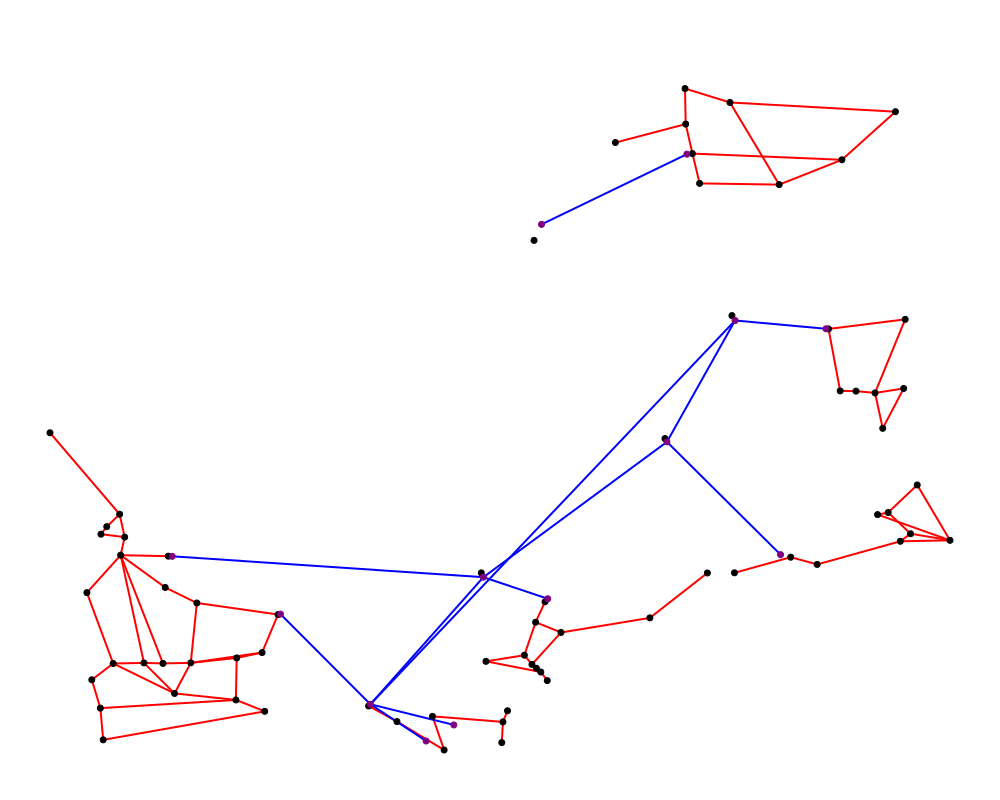
For this function, you need to have the svgwrite library installed. You can install it using pip install svgwrite. geometry of objects is required.
- save_network_svg(grid, name='grid_network', width=1000, height=800, journal=True, legend=True, square_ratio=False, poly=None, linestrings=None, coloring=None, poly_size=None, tee=False, line_size_factor=1.0, draw_converters=True, scale_ac_nodes_with_rs=False, node_size_factor=1.0, scale_dc_nodes_with_conv=False, dc_node_size_factor=1.0)[source]
Save the network as SVG file
Parameters:
- square_ratiobool
If True, expands the data bounds so both axes span the same range, then scales uniformly. If False, uses the true data extent and one scale factor for both x and y (one data unit in x equals one data unit in y on the figure); the SVG size is then fitted to that extent.
- poly_sizetuple or None
If provided and poly is not None, specifies the target size (width, height) in pixels for the polygon. Everything else will be scaled to fit this polygon size. Format: (target_width, target_height) in pixels.
- draw_convertersbool
If False, converter line segments are not drawn.
- scale_ac_nodes_with_rsbool
If True, AC node marker radius is increased when connected renewable sources exist. The increase scales with total connected np_rsgen and node_size_factor.
- node_size_factorfloat
Multiplier used for AC node marker scaling with renewable source multiplicity. Must be >= 0.
- scale_dc_nodes_with_convbool
If True, DC node marker radius is increased based on total connected converter np_conv and dc_node_size_factor.
- dc_node_size_factorfloat
Multiplier used for DC node marker scaling with connected converter multiplicity. Must be >= 0.
Saves the network graph as an SVG file.
Parameter
Type
Description
Default
gridGrid
Grid to save
Required
namestr
Name of the file
‘grid_network’
widthint
Width of the file
1000
heightint
Height of the file
800
Example
import pyflow_acdc as pyf
grid,res = pyf.cases['NS_MTDC']()
pyf.save_network_svg(grid)
Solver Diagnostics
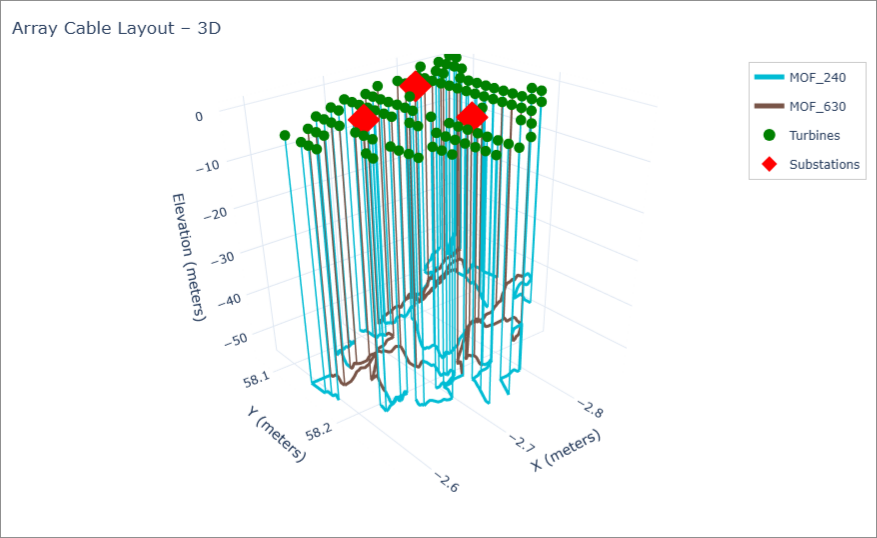
3D Grid Plot
- plot_3D(grid, show=True, save_path=None, coloring='cable_type', line_width=6, node_size=6, title=None, show_unused=False, poly=None, coords_lonlat=False, elevation_grid=None, show_elevation_surface=True, show_elevation_points=False, elevation_opacity=0.35, elevation_colorscale='Viridis', show_verticals=1.0, dev_area=None)[source]
Plot the grid network in 3D using plotly.
When
coords_lonlat=True(default), node positions and LineString geometries are assumed to be in lon/lat and are converted to local meters so that X, Y and Z (elevation) share the same unit. Setcoords_lonlat=Truewhen coordinates are in lon/lat.- Parameters:
grid (Grid object) – Must contain
lines_AC_ctwith 3Dgeometry(has_z=True).show (bool) – Whether to display the figure interactively in the browser.
save_path (str or None) – If given, save the figure as an HTML file.
coloring (str) – ‘cable_type’ colours cables by
active_config; ‘loading’ colours by cable loading percentage.line_width (float) – Width of cable traces.
node_size (float) – Marker size for nodes.
title (str or None) – Figure title.
show_unused (bool) – If True, draw unused cables (active_config < 0) as thin grey lines.
poly (shapely Polygon/MultiPolygon or list, optional) – Development area polygon(s) to draw on the z=0 plane.
coords_lonlat (bool) – If True, convert lon/lat to local meters via equirectangular projection. If False, assume X/Y are already in meters.
elevation_grid (pandas.DataFrame or dict, optional) – Optional set of elevation points to plot as a surface/plane. Expected columns/keys:
x,y,elevation. Coordinates are assumed to be in the same system as the plot (ifcoords_lonlat=True, pass lon/lat so they are converted too).show_elevation_surface (bool) – If True (default) and
elevation_gridis provided, draw a triangulated surface (Mesh3d) colored by elevation.show_elevation_points (bool) – If True, also plot the elevation points as markers.
elevation_opacity (float) – Opacity for the elevation surface.
elevation_colorscale (str or list) – Plotly colorscale for the elevation surface/points.
show_verticals (float) – Opacity of vertical cable segments from 0 (hidden) to 1 (fully visible).
Generates a 3D network visualization of the grid and selected element attributes.
Example
import pyflow_acdc as pyf
from pyflow_tests.test_constants import CABLE_TYPES_OFF66, MORAY_EAST_CABLE_DECISIONS

grid, res = pyf.cases["moray_east"]()
grid.cab_types_allowed = len(CABLE_TYPES_OFF66)
cable_index = {name: idx for idx, name in enumerate(CABLE_TYPES_OFF66)}
for line in grid.lines_AC_ct:
    line.cable_types = list(CABLE_TYPES_OFF66)
    line.active_config = cable_index.get(MORAY_EAST_CABLE_DECISIONS.get(str(line.name), ""), -1)
#show is set to False for testing suit, change it to True to see the plot
pyf.plot_3D(grid, show=False)