Dashboards
For the use of this module, you need to have the optional dependendency pyflow_acdc[Dash] installed.
Interactive Dashboard
For now you have to run the time series to have results to plot. Then run the dashboard. Once the dashboard is running, you can see the plots by selecting the desired plot type. And choose axis limits to zoom in or out.
- run_dash(grid)
Creates and runs an interactive Dash web application for visualizing time series results.
Parameter
Type
Description
Default
gridGrid
Grid with time series results
Required
Features:
Interactive plot selection:
Power Generation by price zone
Power Generation by generator
Power Generation by price zone (area chart)
Power Generation by generator (area chart)
Market Prices
AC line loading
DC line loading
AC/DC Converters
Curtailment
Dynamic axis limits
Component selection checklist
Real-time plot updates
Once the dashboard is created, you can see it in your browser under the url:
http://127.0.0.1:8050/
import pyflow_acdc as pyf
import pandas as pd
[grid,results] = pyf.NS_MTDC()

start = 5750
end = 6000
obj = {'Energy_cost': 1}

market_prices_url = "https://raw.githubusercontent.com/CITCEA-UPC/pyflow_acdc/main/examples/NS_MTDC_TS/NS_TS_marketPrices_data_sd2024.csv"
TS_MK = pd.read_csv(market_prices_url)
pyf.add_TimeSeries(grid,TS_MK)

wind_load_url = "https://raw.githubusercontent.com/CITCEA-UPC/pyflow_acdc/main/examples/NS_MTDC_TS/NS_TS_WL_data2024.csv"
TS_wl = pd.read_csv(wind_load_url)
pyf.add_TimeSeries(grid,TS_wl)

times=pyf.TS_ACDC_OPF(grid,start,end,ObjRule=obj)

pyf.run_dash(grid)
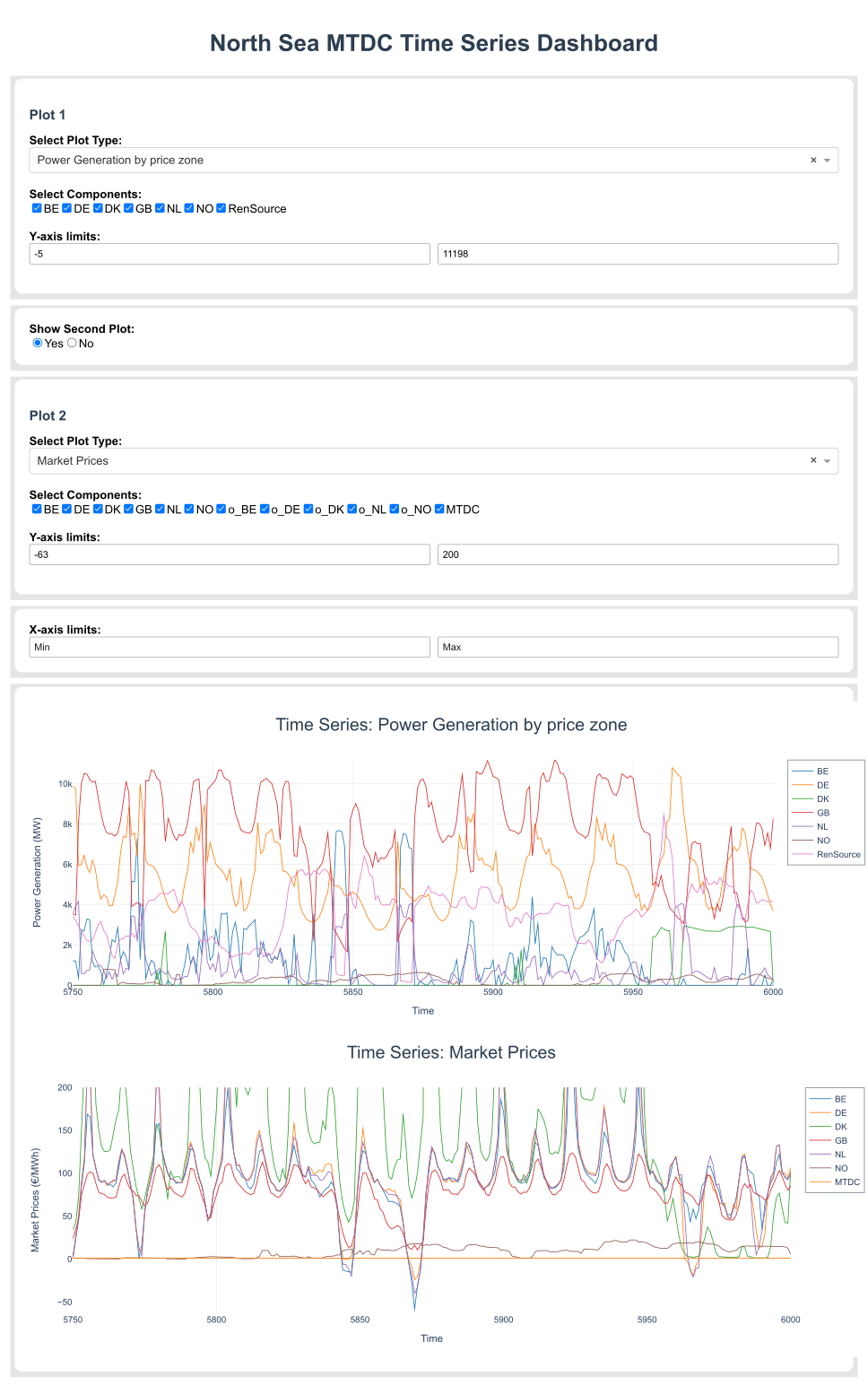
Example of the Dash dashboard.